
Free playbook · episode 4 · an afternoon
I film on my phone. Claude does the edit. The video editing playbook, free.
The honest setup behind this series, and the edit rules that keep every video on brand.
The setup that edited the video you just watched.
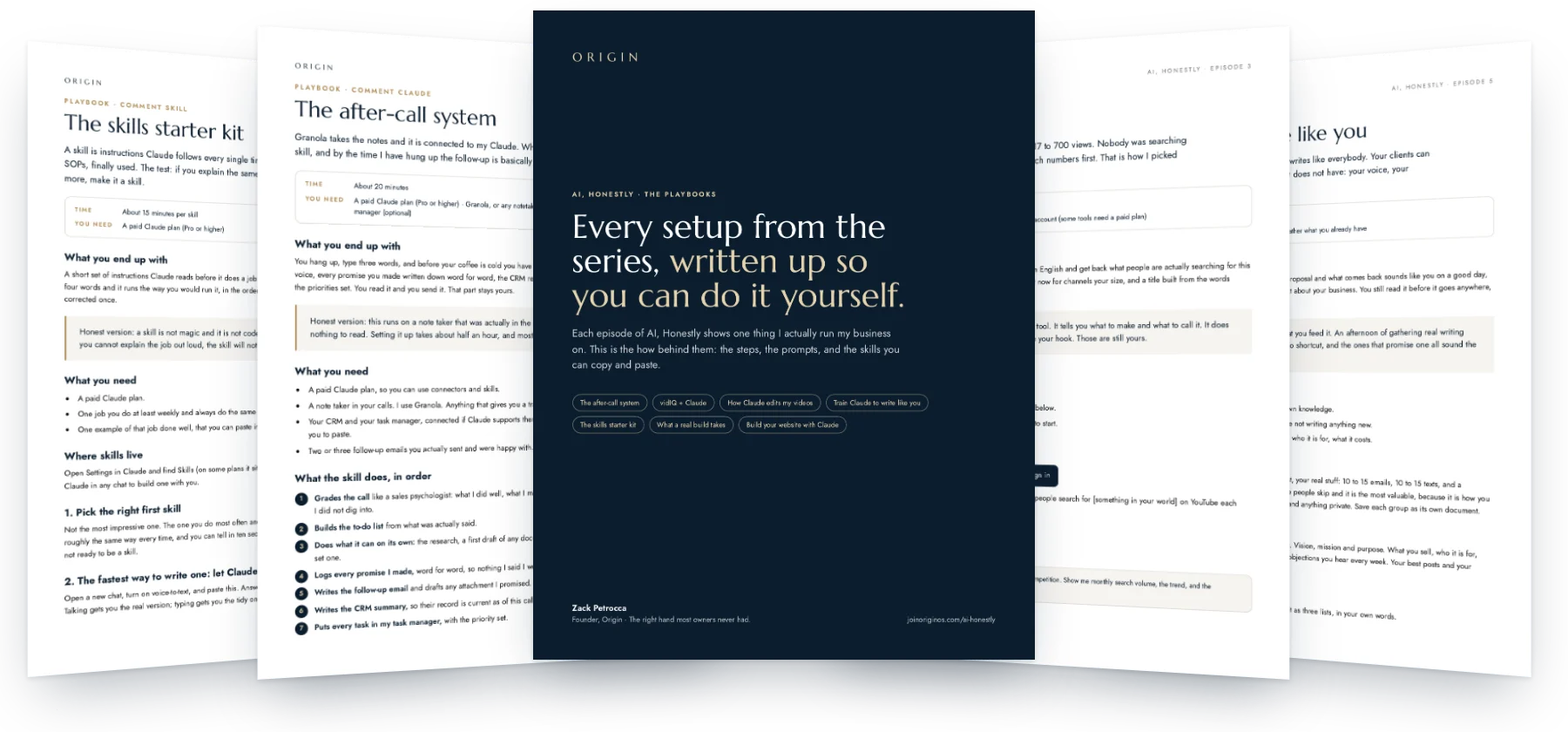
- Cuts
- Captions
- Hook
- Graphics
- Rules
That link expired. Pop your details in and we will send a fresh one.
Takes under 30 seconds. Free, no card.
You will also get The System Drop, our weekly newsletter. One click to leave, anytime. We never sell your information. Privacy.
Why this exists
The edit was the reason I posted twice a week instead of every day.
Filming is quick. It is the cutting, the captions and the graphics that eat the evening, and that is the part that quietly decides how often you show up.
Now I drop the clips in a folder and say what the hook is. It cuts the dead air, times the captions to my voice and adds the graphics. I tell it what is wrong until it is right. That part is still me.

Who built this
Only things I actually run.
I am Zack, a fractional COO. I build the operating systems behind founder-led service businesses, and I run my own on Claude. Every playbook here is a system I use every week, written up the way I would walk a friend through it. The one rule under all of it: hand AI the task, never the judgment.
Zack Petrocca, Founder, Origin
What is inside
What it does to every clip.
The honest version: this runs in Claude Code with a free video tool, not in the Claude app.
-
Cuts the dead air
The pause before you start, and the gaps between sentences. Only between sentences, never mid-word.
Try this"It found a full second at the top of my first take."
-
Captions in your voice
A few words at a time, timed to how you actually speak, in your fonts.
Try this"Never over your face."
-
The hook on screen
Up in the first second and a half, because that is the whole ballgame.
Try this"One line, said the human way."
-
The graphics
Logos when you name a tool, steps as you say them, the real numbers as they leave your mouth.
Try this"Real numbers only. Nothing invented on screen."
-
Your edit rules
One file it reads before every edit, so every video comes out looking like yours.
Try this"Copy mine and change the fonts and colors."
An afternoon to set up. After that, a few messages per video.
Open the playbookLook inside
Real pages, not a summary.
Who this is for
This is for you if
- You are posting video and the edit is the bottleneck.
- You are comfortable following setup steps once.
- You have a look you want kept the same every time.
Skip it if
- You want one button and no opinions.
- You will not tell it what is wrong.
How fast it pays off
Useful the same day.
-
This afternoon
Get Claude Code, make the folder, install the video tool.
-
Ten minutes
Paste in the edit rules and change them to your brand.
-
Every video after
Drop the clip in, say the hook, be picky about the result.
Setup: An afternoon to set up. One email opens this playbook and every other one in the library.
Before you open it
Is this one click in the Claude app?
No, and I would rather tell you now. It runs in Claude Code on your computer with an open-source tool called HyperFrames.
Do I need to know how to code?
No. You describe what is wrong in plain English. That is the whole job.
Will it match my brand?
That is what the rules file is for. Fonts, colors, caption style, where text is allowed to sit.
Film it. Let the edit happen.
Your first name, your email, and the whole library is open.
Open the playbookYou are in. Every playbook is open, and a copy is on its way to your inbox.
AI, Honestly · Episode 4
How Claude edits my videos
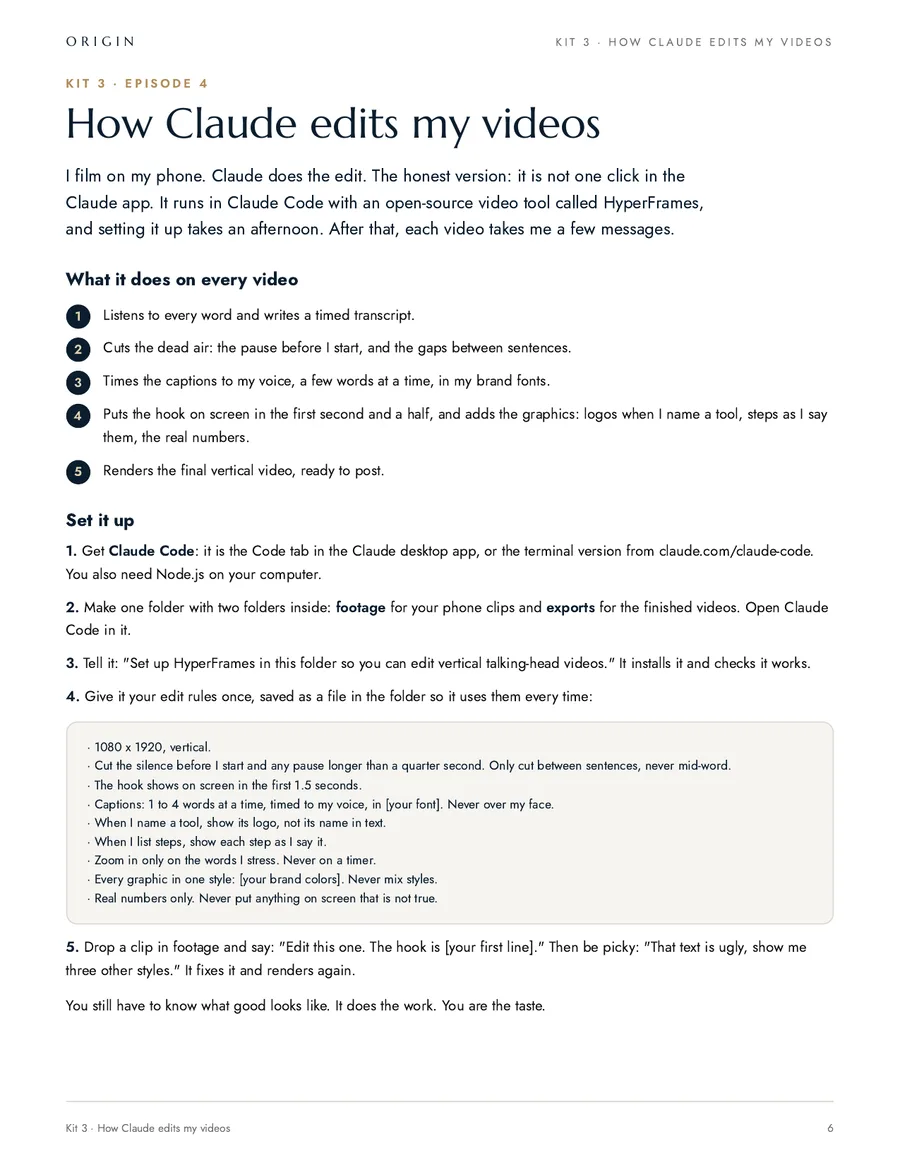
I film on my phone. Claude does the edit. The honest version: it is not one click in the Claude app. It runs in Claude Code with an open-source video tool called HyperFrames, and setting it up takes an afternoon. After that, each video takes me a few messages.
What you end up with
You film on your phone and drop the clips in a folder. Claude listens to every word, cuts the dead air, times the captions to your voice, puts your hook on screen, adds the graphics, and renders a vertical video ready to post. You watch it and say what is wrong until it is right. That part stays yours.
Honest version: this is not one click in the Claude app. It runs in Claude Code, on your computer, with a free video tool called HyperFrames. Setting it up takes an afternoon. After that a video is a few messages.
What you need
- A paid Claude plan, so you can use Claude Code.
- Claude Code: the Code tab in the Claude desktop app, or the terminal version from claude.com/claude-code.
- Your brand guide, if you have one, and 10 videos you wish yours looked like.
1. One prompt sets the whole thing up
Make an empty folder for your videos, open Claude Code in it, and paste this. It installs what it needs, builds the folders, and tells you if something is missing on your machine.
Set this folder up so you can edit my vertical talking-head videos.

Do all of this yourself and tell me in plain English when it is done:

1. Check I have Node.js. If I do not, walk me through installing it.
2. Install HyperFrames and confirm it runs.
3. Make these folders: footage (my clips straight off my phone), exports (finished videos), brand (my fonts, colors and rules).
4. Set a standing rule for yourself: phone video is often missing keyframes and stalls a render, so re-encode every clip into a clean copy before you edit it, and keep the audio at broadcast loudness.
5. Tell me exactly what to drop in each folder to get started.

Do not edit anything yet.
2. Teach it your taste
This is the part that makes the videos yours instead of generic, and it is a conversation, not a form. Put your brand guide in brand/ if you have one, then find 10 videos you wish yours looked like. They do not have to be ranked. What matters is that you say what you like about each one.
I am going to teach you how my videos should look.

In brand/ is my brand guide. Read it and pull out the fonts, the colors and anything about how we write.

I am also going to paste 10 links to videos I like. For each one I will say what I like about it: the captions, the pacing, the way the graphics come in, whatever it is.

Ask me questions until you understand the look. Push back if two things I said contradict each other.

Then write brand/edit-rules.md in my words: the frame, the captions, the hook, the graphics, the motion, and a Never list. Show it to me before you use it.
You end up with a file like this, in your language, not mine. Claude reads it before every edit, and you add a line to it every time you correct something.
# How to edit my videos

## The frame
- 1080 x 1920, vertical. Never crop my face out of the middle.
- Cut the silence before I start, and any pause longer than a quarter second.
- Only cut between sentences. Never stitch words inside a sentence.

## Captions
- 1 to 4 words at a time, timed to how I actually speak.
- [your font], [your color]. Never over my face.
- One emphasis word per card, in [your accent color].

## The hook
- On screen inside the first 1.5 seconds. One line, the way a person would say it.

## Graphics
- When I name a tool, show its logo, not its name typed out.
- One style for every graphic: [describe it].
- Real numbers only. Never put anything on screen that is not true.

## Motion
- Zoom only on the words I stress. Never on a timer.
- Something changes on screen at least every 2 seconds.

## Never
- No stock footage. No fake screenshots. No music I did not pick.
- Nothing on screen that names a client.
3. Edit the first one
Drop a clip in footage and say this. Expect the first edit to be 80 percent right.
Edit the clip in footage/ into a vertical short.

Read brand/edit-rules.md first and follow it exactly.

The hook is: "[your first line]"

Then tell me three things: how much dead air you cut, how many captions there are, and anything you were unsure about. Do not post it anywhere. Put the file in exports/ and I will watch it.
4. The part everyone skips: the review loop
The first version is never the one. Say what is wrong in plain English and it fixes it. Real notes I have given it:
- "The text at the top is ugly. Mock up three other styles on my own frames and show me."
- "That zoom is off the beat. Only zoom on the word I stress."
- "You cut me off mid-sentence at 12 seconds. Only cut between sentences."
- "The caption is covering my mouth. Move it down."
- "It says clod. I said Claude. Fix it everywhere."
Every note you give it, add to your rules file. After a few videos it stops making that mistake, and the first version starts landing at 95 percent.
5. Then do a week at a time
Here are [number] clips in footage/. Edit all of them the same way, following brand/edit-rules.md.

For each one: the hook is the first sentence I say, unless I tell you otherwise.

When they are done, give me a list: file name, length, and anything you were unsure about. I will watch them before anything goes out.
What goes wrong, and the fix
- A render hangs partway. That is the keyframe problem. Remind it to re-encode every clip before editing.
- A word comes out wrong in the captions. Give it a fixes list: "clod" is "Claude", "AT" is "a T". It applies them every time.
- A file that looks finished is the old one. Have it check the file time and the last frames before it tells you a video is ready.
- It gets flowery. Tell it plainly: captions are what I said, word for word, not a rewrite.
Before you post
- Watch the whole thing once, end to end, with the sound on.
- Check the file was written after your last change.
- Check the last two seconds. That is where a bad render shows first.
None of this makes you a video editor. It makes the editing cheap enough that you post every day. You still have to know what good looks like. It does the work. You are the taste.
What happens once it is set up
Their words, not ours.
“I went from an independent contractor to a business owner, and that is what Zack has done for me.”
- $7.3M
- sold last year
- ~$11M
- this year, with pending closings
Numbers as Beau said them, October 2026.
Beau P.Real Estate Team Leader, Empire Real Estate Firm
-
He changed how I actually prompt and use AI day to day, and my results are noticeably better because of it.
Sam O. Founder
Sharper AI, tighter sales
-
Origin brought systems and clarity to a team that really needed it, and did it in a way that stuck.
Carrie A. Events Director, AFSP Long Island Chapter
Clear ownership, AI that stuck
-
He doesn't just talk the talk, he puts his mind to things and gets it done, and then he teaches other business owners how to do the same.
Harlan M. Real Estate Agent
AI from zero: emails to a full website
Free, and I do mean free
Want help setting it up? Book 30 minutes with me.
You bring this playbook and whatever is in your way. We set it up together on the call. No pitch, no card, and if it is not a fit for us to work together I will still leave you with it working.
- Bring your screen. We do it live, not in theory.
- Thirty minutes. If we finish early, you get the time back.
- If you want more after that, we can talk. If not, you keep the system.
The other playbooks
- Episode 2 The after-call system The skill that grades the call, logs every promise, writes the follow-up and updates the CRM.
- Episode 3 vidIQ + Claude The 30-second setup and the five prompts I use to pick every video before I shoot it.
- Episode 5 Train Claude to write like you Your voice, your company and your rules in one place, read before it writes anything.
- Episode 8 The skills starter kit The prompt that makes Claude interview you and write the skill, plus three to start with.
- Episode 9 What a real build takes A buyer’s guide to custom software: what AI made easy, the eight parts it did not, and how to tell if you are ready.
- Episode 17 Build your website with Claude The honest process behind a 72-page site: the words first, one page at a time, and the phone test that makes it feel like you.
While you are here