
Free playbook · episode 2 · 20 minutes
Hang up with the follow-up already written. The after-call system, free.
The skill I run after every sales call: it grades the call, logs every promise I made, writes the follow-up and updates the CRM.
What Zack Petrocca runs after every sales call at Origin.
- Grade
- To-dos
- Promises
- CRM
- Tasks
That link expired. Pop your details in and we will send a fresh one.
Takes under 30 seconds. Free, no card.
You will also get The System Drop, our weekly newsletter. One click to leave, anytime. We never sell your information. Privacy.
Why this exists
You hang up knowing what to do. The hour after is where deals go quiet.
You hang up knowing exactly what to do, and then the day happens. The email waits. The thing you promised to send waits. By Thursday you are writing a follow-up from memory, and the detail that would have closed it is gone.
This is the fix, and it is one skill. The notes are already being taken. All that was missing was something to turn them into the work.

Who built this
Only things I actually run.
I am Zack, a fractional COO. I build the operating systems behind founder-led service businesses, and I run my own on Claude. Every playbook here is a system I use every week, written up the way I would walk a friend through it. The one rule under all of it: hand AI the task, never the judgment.
Zack Petrocca, Founder, Origin
What is inside
One skill. Seven jobs, in order.
Everything below happens from the call notes, before you have put the phone down.
-
The grade
Scored like a sales psychologist: what you did well, what you missed, where they are in buying.
Try this"Read this first. It is the part that makes the next call better."
-
The to-do list
Everything that has to happen next, from what was actually said, with an owner on each one.
Try this"Anything it can do itself, it does."
-
Every promise
Word for word, everything you said you would send, do or find out.
Try this"Nothing you promised gets forgotten."
-
The follow-up email
Written in your voice, with the attachment drafted if you promised one. It never sends on its own.
Try this"Read it, change what is not you, send."
-
The CRM summary
Their record current as of this call: what they need, where they are, the next step and when.
Try this"Pasted in, or written in automatically if your CRM connects."
-
The tasks
Straight into your task manager, with the priority already set.
Try this"High for a promise or a date, medium if it moves the deal."
About 20 minutes to set up. It pays you back on the next call.
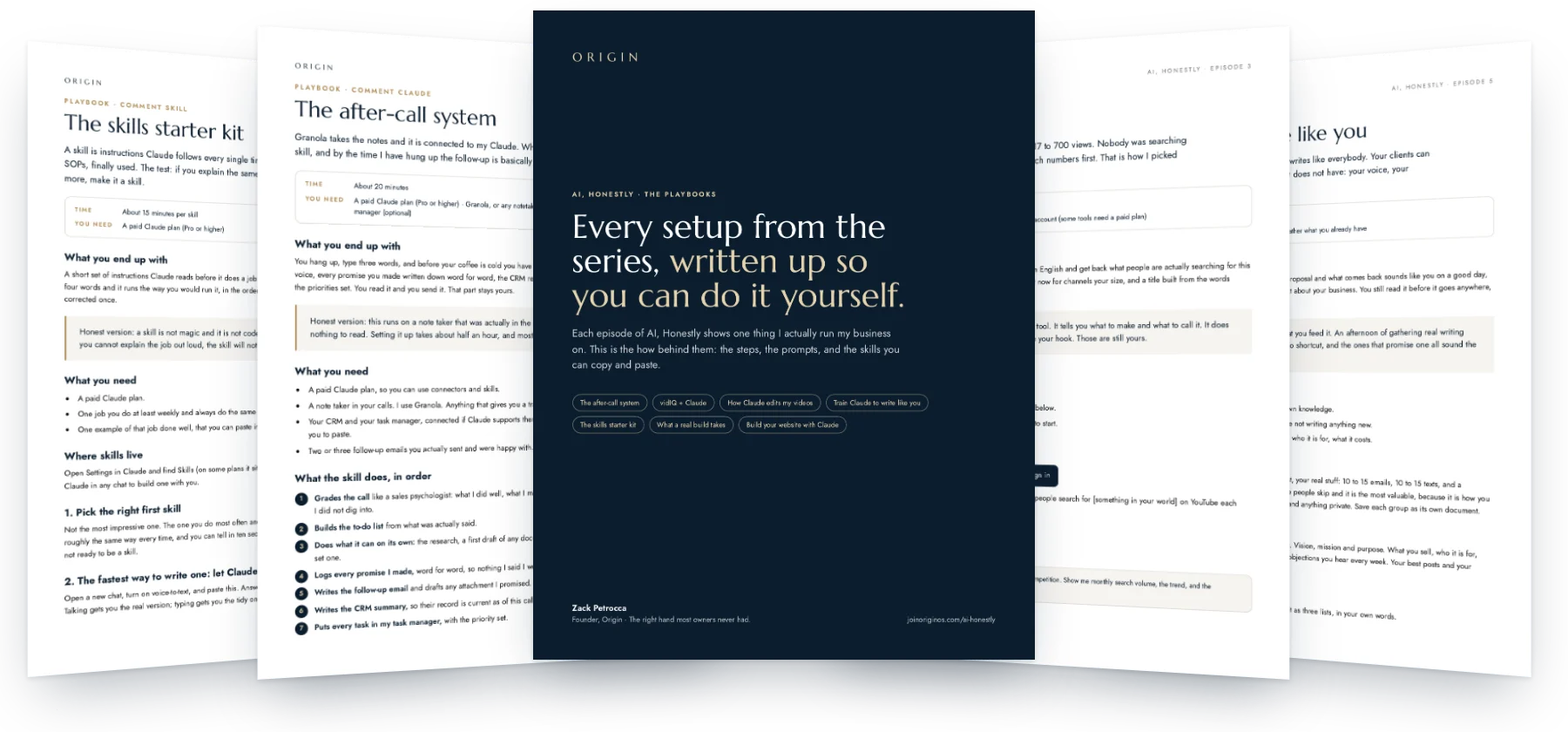
Open the playbookLook inside
Real pages, not a summary.
Who this is for
This is for you if
- You run sales calls and the follow-up is the part that slips.
- Your notes get taken and then never turned into anything.
- You want the write-up done without it sounding like a robot wrote it.
Skip it if
- You want AI on the call itself.
- You would rather not read what it writes before it goes out.
How fast it pays off
Useful the same day.
-
Minute one
Connect your notetaker to Claude. Settings, Connectors, done.
-
Minute ten
Paste in the skill and change the parts in brackets to fit your business.
-
Your next call
Type “run after-call” and read the grade before you read anything else.
Setup: About 20 minutes. One email opens this playbook and every other one in the library.
Before you open it
Do I have to use Granola?
No. Any notetaker that gives you a transcript works. Granola is the one I use.
Will it email my client on its own?
No. The skill is told never to send. It writes the draft, you read it and send it.
What if my CRM does not connect to Claude?
Then it writes the summary out for you to paste in. Nothing breaks.
The follow-up, done before you put the phone down.
Your first name, your email, and the whole library is open.
Open the playbookYou are in. Every playbook is open, and a copy is on its way to your inbox.
AI, Honestly · Episode 2
The after-call system
Granola takes the notes and it is connected to my Claude. When the call ends, I run one skill, and by the time I have hung up the follow-up is basically done.
What you end up with
You hang up, type three words, and before your coffee is cold you have the call graded, the follow-up email drafted in your voice, every promise you made written down word for word, the CRM record current, and the tasks already in your list with the priorities set. You read it and you send it. That part stays yours.
Honest version: this runs on a note taker that was actually in the call. If nothing recorded it, the skill has nothing to read. Setting it up takes about half an hour, and most of that is connecting things.
What you need
- A paid Claude plan, so you can use connectors and skills.
- A note taker in your calls. I use Granola. Anything that gives you a transcript works.
- Your CRM and your task manager, connected if Claude supports them. Anything it cannot reach, the skill writes out for you to paste.
- Two or three follow-up emails you actually sent and were happy with.
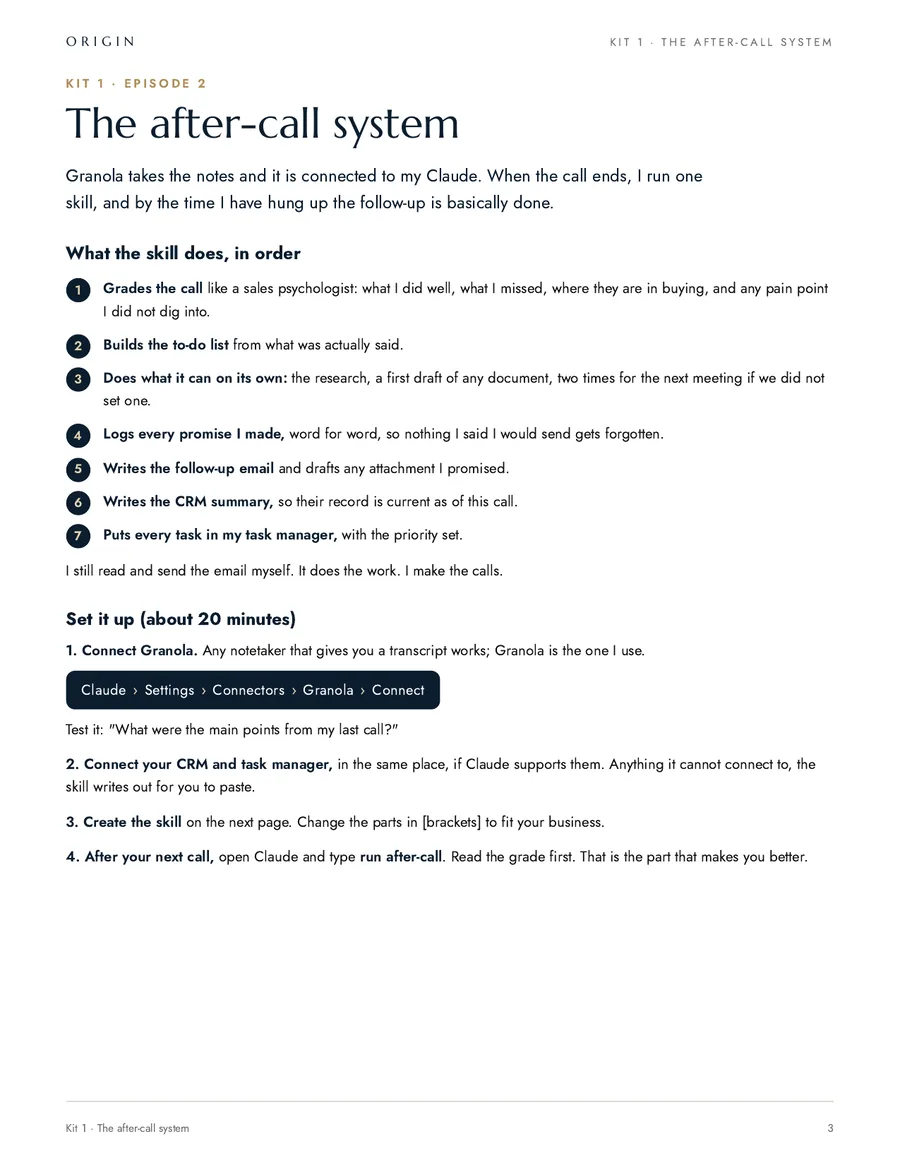
What the skill does, in order
- Grades the call like a sales psychologist: what I did well, what I missed, where they are in buying, and any pain point I did not dig into.
- Builds the to-do list from what was actually said.
- Does what it can on its own: the research, a first draft of any document, two times for the next meeting if we did not set one.
- Logs every promise I made, word for word, so nothing I said I would send gets forgotten.
- Writes the follow-up email and drafts any attachment I promised.
- Writes the CRM summary, so their record is current as of this call.
- Puts every task in my task manager, with the priority set.
I still read and send the email myself. It does the work. I make the calls.
1. Connect your note taker
Claude Settings Connectors Granola Connect
Test it before you build anything. Ask: "What were the main points from my last call?" If it cannot answer that, nothing after this step will work either, and you have found the problem in ten seconds instead of after your next call.
2. Connect your CRM and your task manager
Same place, if Claude supports them. Do not skip this step because your CRM is not on the list. A skill that writes the CRM summary out for you to paste is still faster than writing it yourself, and you can connect it properly later without touching the skill.
3. Create the skill
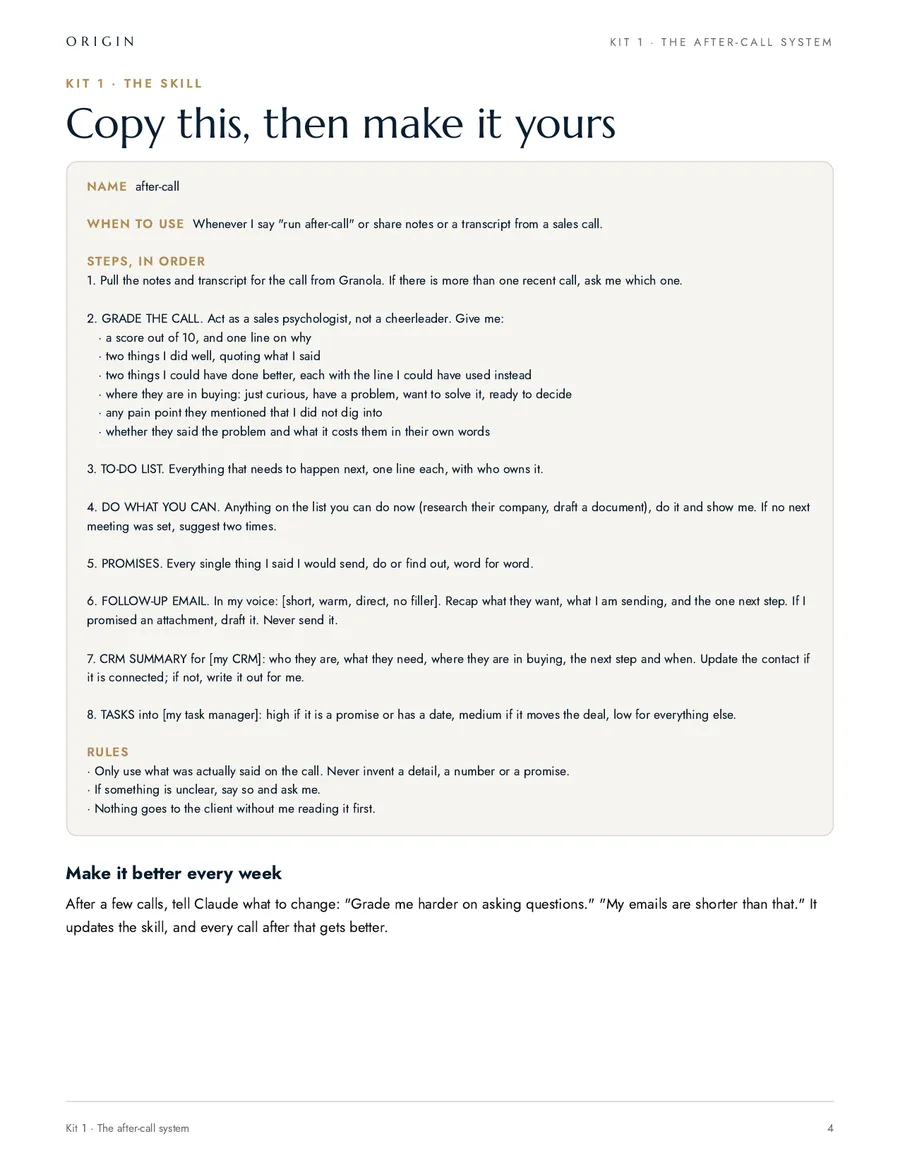
Copy this into a new skill, then change the parts in [brackets] to fit your business. The brackets are the whole job: this is my skill with my business taken out of it.
Name: after-call

When to use: whenever I say "run after-call" or share notes or a transcript from a sales call.

Steps, in order:

1. Pull the notes and transcript for the call from Granola. If there is more than one recent call, ask me which one.

2. GRADE THE CALL. Act as a sales psychologist, not a cheerleader. Give me:
- a score out of 10, and one line on why
- two things I did well, quoting what I said
- two things I could have done better, each with the line I could have used instead
- where they are in buying: just curious, have a problem, want to solve it, ready to decide
- any pain point they mentioned that I did not dig into
- whether they said the problem and what it costs them in their own words

3. TO-DO LIST. Everything that needs to happen next, one line each, with who owns it.

4. DO WHAT YOU CAN. Anything on the list you can do now (research their company, draft a document), do it and show me. If no next meeting was set, suggest two times.

5. PROMISES. Every single thing I said I would send, do or find out, word for word.

6. FOLLOW-UP EMAIL. In my voice: [short, warm, direct, no filler]. Recap what they want, what I am sending, and the one next step. If I promised an attachment, draft it. Never send it.

7. CRM SUMMARY for [my CRM]: who they are, what they need, where they are in buying, the next step and when. Update the contact if it is connected; if not, write it out for me.

8. TASKS into [my task manager]: high if it is a promise or has a date, medium if it moves the deal, low for everything else.

Rules:
- Only use what was actually said on the call. Never invent a detail, a number, a price or a promise.
- If something is unclear, say so and ask me.
- Nothing goes to the client without me reading it first.
4. Teach it your email before you trust it
The email is the part people notice, so give it something real to copy instead of hoping. Paste two or three follow-ups you actually sent into the skill, under a heading that says what good looks like.
What a good follow-up email looks like:

[paste a real one you sent]

[paste another]

Match the length, the opening line and the sign-off. Never open with "I hope this email finds you well" or "just circling back". One question per email, not three.
5. Run it after your next call
Hang up, open Claude, and type "run after-call". Read the grade first, before the email. The email saves you twenty minutes. The grade is the part that makes you better at the job.
6. The part everyone skips: correcting it out loud
The first few runs will be wrong in small ways. Say what is wrong in plain English and then put the fix in the skill. Real notes I have given mine:
- "Grade me harder on asking questions. I want the line I should have used, not a compliment."
- "My emails are half that length. Three to five sentences."
- "I never say reach out. I say call me or send it over."
- "You listed a promise I did not make. Only things I said word for word."
- "Stop guessing their budget. If they did not say a number, say they did not say a number."
Every note you give it, add to the skill. After about five calls the first draft stops needing edits, and the grade starts telling you the same thing twice, which is how you find out what you actually need to work on.
What goes wrong, and the fix
- It summarizes the wrong call. Name the call and the day. If two calls ran back to back, say which one.
- It invents a price, a date or a headcount. Put "never invent a number, a price or a date, ask me" in the rules and it stops doing it.
- The grade is all praise. Tell it to grade like someone who wants you to get better, and to quote the line you should have used instead. A 10 out of 10 on a call you lost is useless.
- The email sounds like a consultant. It has no example to copy. Paste two real ones in.
- Tasks land with no priority or no date. Tell it what high, medium and low mean in your business, in one line each.
- Nothing comes back at all. The transcript never synced. Open the note taker first and check the call is there.
Before you send
- Read the email out loud. If you would not say it, do not send it.
- Check every promise on the list is one you actually made.
- Check every number against what was said on the call, not against what sounds right.
- Send it yourself. Never give it permission to send.
The twenty minutes of admin is the small win. The real one is that you get graded on every call you take, by something that was in the room and does not care about your feelings.
What happens once it is set up
Their words, not ours.
“I went from an independent contractor to a business owner, and that is what Zack has done for me.”
- $7.3M
- sold last year
- ~$11M
- this year, with pending closings
Numbers as Beau said them, October 2026.
Beau P.Real Estate Team Leader, Empire Real Estate Firm
-
He changed how I actually prompt and use AI day to day, and my results are noticeably better because of it.
Sam O. Founder
Sharper AI, tighter sales
-
Origin brought systems and clarity to a team that really needed it, and did it in a way that stuck.
Carrie A. Events Director, AFSP Long Island Chapter
Clear ownership, AI that stuck
-
He doesn't just talk the talk, he puts his mind to things and gets it done, and then he teaches other business owners how to do the same.
Harlan M. Real Estate Agent
AI from zero: emails to a full website
Free, and I do mean free
Want help setting it up? Book 30 minutes with me.
You bring this playbook and whatever is in your way. We set it up together on the call. No pitch, no card, and if it is not a fit for us to work together I will still leave you with it working.
- Bring your screen. We do it live, not in theory.
- Thirty minutes. If we finish early, you get the time back.
- If you want more after that, we can talk. If not, you keep the system.
The other playbooks
- Episode 3 vidIQ + Claude The 30-second setup and the five prompts I use to pick every video before I shoot it.
- Episode 4 How Claude edits my videos The honest setup behind the series, and the edit rules that keep every video on brand.
- Episode 5 Train Claude to write like you Your voice, your company and your rules in one place, read before it writes anything.
- Episode 8 The skills starter kit The prompt that makes Claude interview you and write the skill, plus three to start with.
- Episode 9 What a real build takes A buyer’s guide to custom software: what AI made easy, the eight parts it did not, and how to tell if you are ready.
- Episode 17 Build your website with Claude The honest process behind a 72-page site: the words first, one page at a time, and the phone test that makes it feel like you.
While you are here