
Free playbook · episode 8 · 15 minutes a skill
Stop re-explaining yourself to Claude. The skills starter kit, free.
The prompt that makes Claude interview you and write the skill, the template, and three skills to start with.
The habit behind every system in this series.
- Interview
- Template
- Emails
- Content
- Proposal
That link expired. Pop your details in and we will send a fresh one.
Takes under 30 seconds. Free, no card.
You will also get The System Drop, our weekly newsletter. One click to leave, anytime. We never sell your information. Privacy.
Why this exists
If you explain it twice a week, you have written it twice a week.
Most people use AI like a stranger they meet again every morning. Same background, same preferences, same corrections, typed out again.
A skill is the instructions it follows every single time, for one job. It is your SOPs, finally used by something that never forgets them.

Who built this
Only things I actually run.
I am Zack, a fractional COO. I build the operating systems behind founder-led service businesses, and I run my own on Claude. Every playbook here is a system I use every week, written up the way I would walk a friend through it. The one rule under all of it: hand AI the task, never the judgment.
Zack Petrocca, Founder, Origin
What is inside
What is in the playbook.
Everything here is copy and paste, including the three starter skills.
-
The interview prompt
Claude asks you one question at a time about how you do the job, then writes the skill for you.
Try this"Turn on voice-to-text and just talk."
-
The template
Name, when to use it, the steps, what good looks like, and the never list.
Try this"Five parts. That is the whole shape."
-
Emails in your voice
A starter skill for the thing you write most.
Try this"Paste in two emails you were happy with."
-
The weekly content plan
Turns what happened in the business this week into posts with real hooks.
Try this"Never generic tips with no example."
-
The first-draft proposal
From your call notes: their problem in their words, then the outcome, then the phases.
Try this"Price left blank for you."
About 15 minutes per skill. Start with the thing you explained most this week.
Open the playbookLook inside
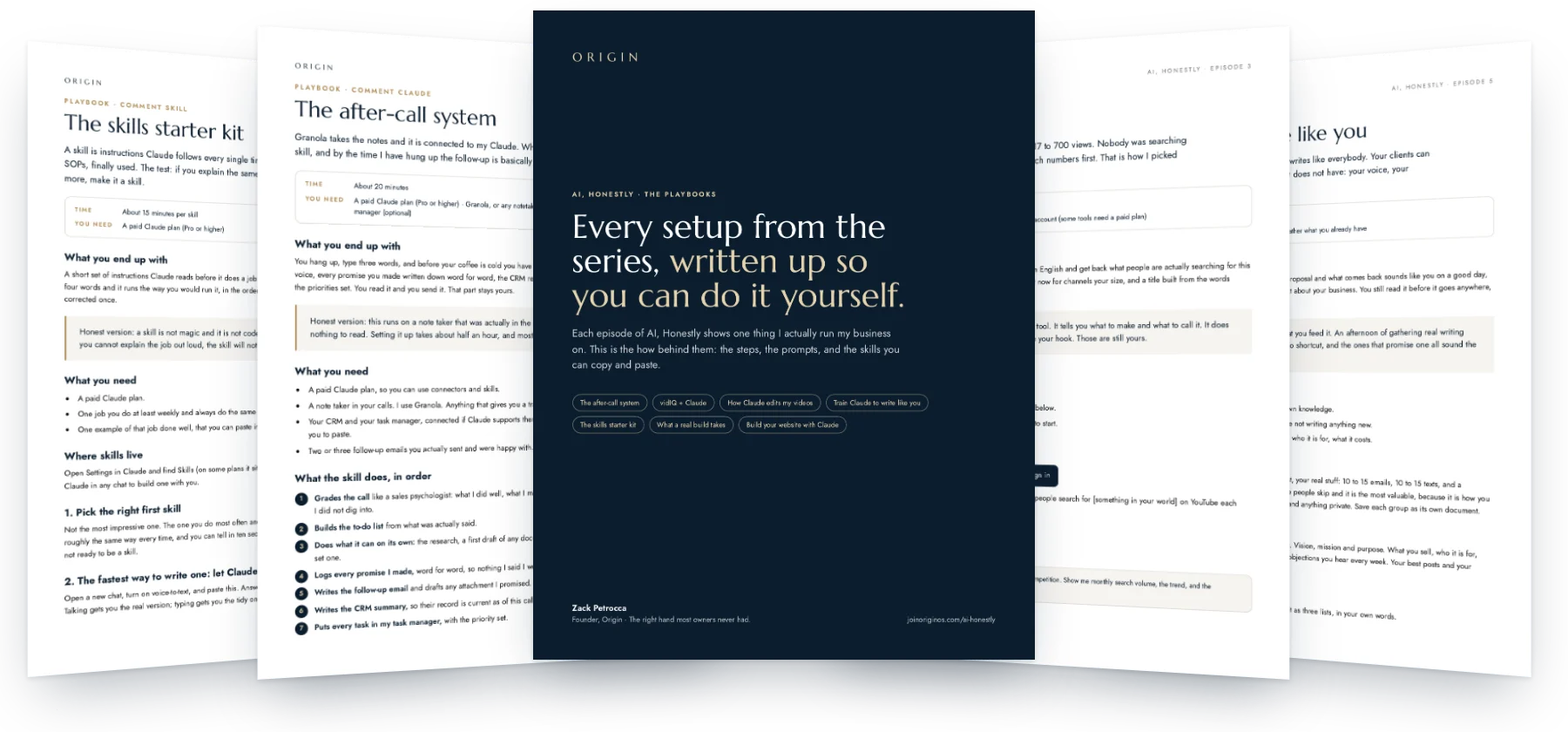
Real pages, not a summary.
Who this is for
This is for you if
- You use Claude most days and retype the same context.
- You have processes in your head that nobody else can run.
- You want it to get better every week instead of staying the same.
Skip it if
- You use AI once a month.
- You would rather explain it fresh each time.
How fast it pays off
Useful the same day.
-
Minute one
Pick the thing you explained to Claude most this week.
-
Fifteen minutes
Let it interview you, then test the skill on a real task.
-
Every correction after
Add it to the never list. That is how it gets sharp.
Setup: About 15 minutes per skill. One email opens this playbook and every other one in the library.
Before you open it
Where do skills live?
In Claude's Settings, under Skills on most plans. You can also just ask Claude in a chat to build one with you.
How long is a good skill?
Short. Five parts and one real example beats a page of instructions.
What should my first one be?
Whatever you do twice a week. Usually how you write emails.
Write it once. Use it every day.
Your first name, your email, and the whole library is open.
Open the playbookYou are in. Every playbook is open, and a copy is on its way to your inbox.
AI, Honestly · Episode 8
The skills starter kit
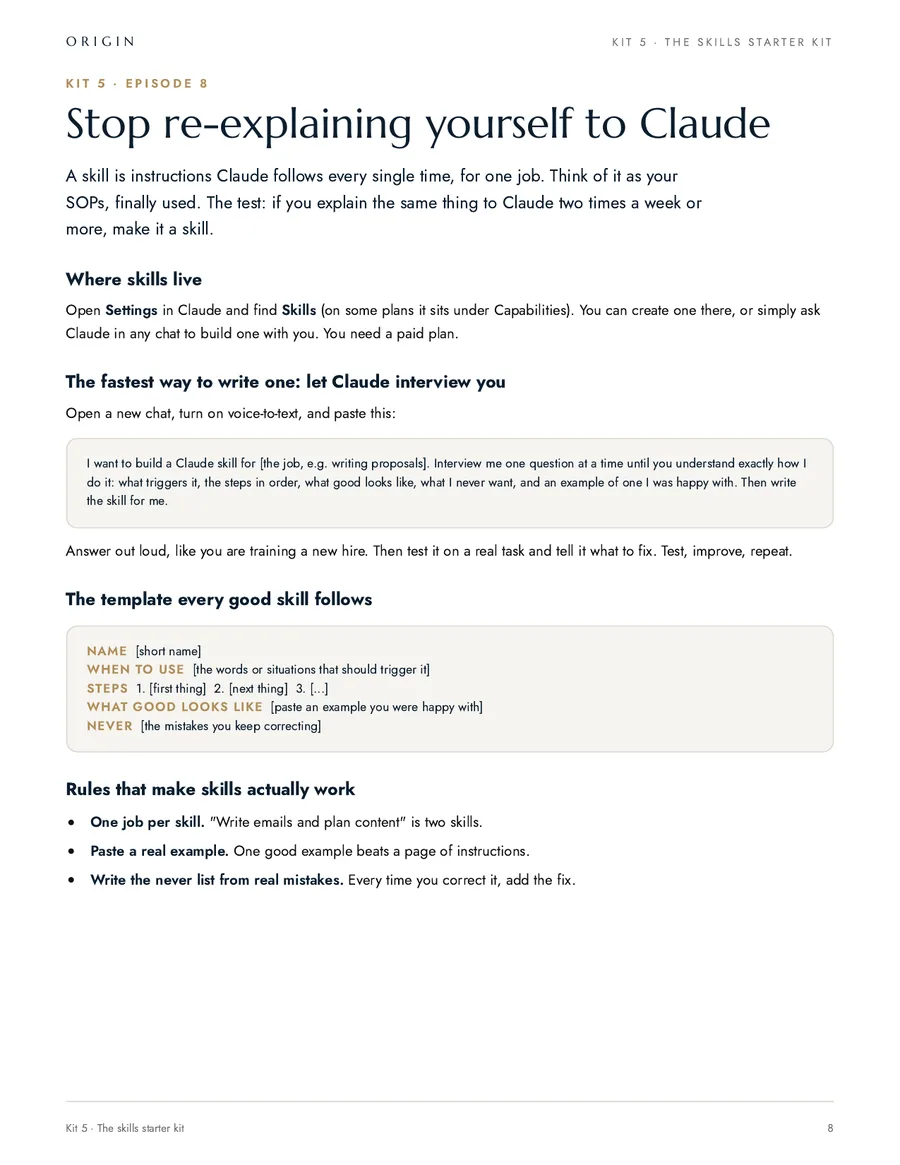
A skill is instructions Claude follows every single time, for one job. Think of it as your SOPs, finally used. The test: if you explain the same thing to Claude two times a week or more, make it a skill.
What you end up with
A short set of instructions Claude reads before it does a job you do all the time, so you stop re-explaining yourself. You say four words and it runs the way you would run it, in the order you would run it, avoiding the mistakes you have already corrected once.
Honest version: a skill is not magic and it is not code. It is the written version of how you train a new hire. If you cannot explain the job out loud, the skill will not save you, and that is worth finding out.
What you need
- A paid Claude plan.
- One job you do at least weekly and always do the same way.
- One example of that job done well, that you can paste in.
Where skills live
Open Settings in Claude and find Skills (on some plans it sits under Capabilities). You can create one there, or simply ask Claude in any chat to build one with you.
1. Pick the right first skill
Not the most impressive one. The one you do most often and hate most. Three tests: you do it at least once a week, you do it roughly the same way every time, and you can tell in ten seconds whether the result is good. If a job fails the third test, it is not ready to be a skill.
2. The fastest way to write one: let Claude interview you
Open a new chat, turn on voice-to-text, and paste this. Answer out loud, like you are training a new hire, because you are. Talking gets you the real version; typing gets you the tidy one.
I want to build a Claude skill for [the job, e.g. writing proposals]. Interview me one question at a time until you understand exactly how I do it: what triggers it, the steps in order, what good looks like, what I never want, and an example of one I was happy with. Then write the skill for me.
3. The template every good skill follows
Name: [short name]
When to use: [the words or situations that should trigger it]
Steps:
1. [first thing]
2. [next thing]
3. [...]
What good looks like: [paste an example you were happy with]
Never: [the mistakes you keep correcting]
Four parts, and the last two are the ones people leave out. A skill with no example guesses at your standard. A skill with no never list makes the same mistake every week.
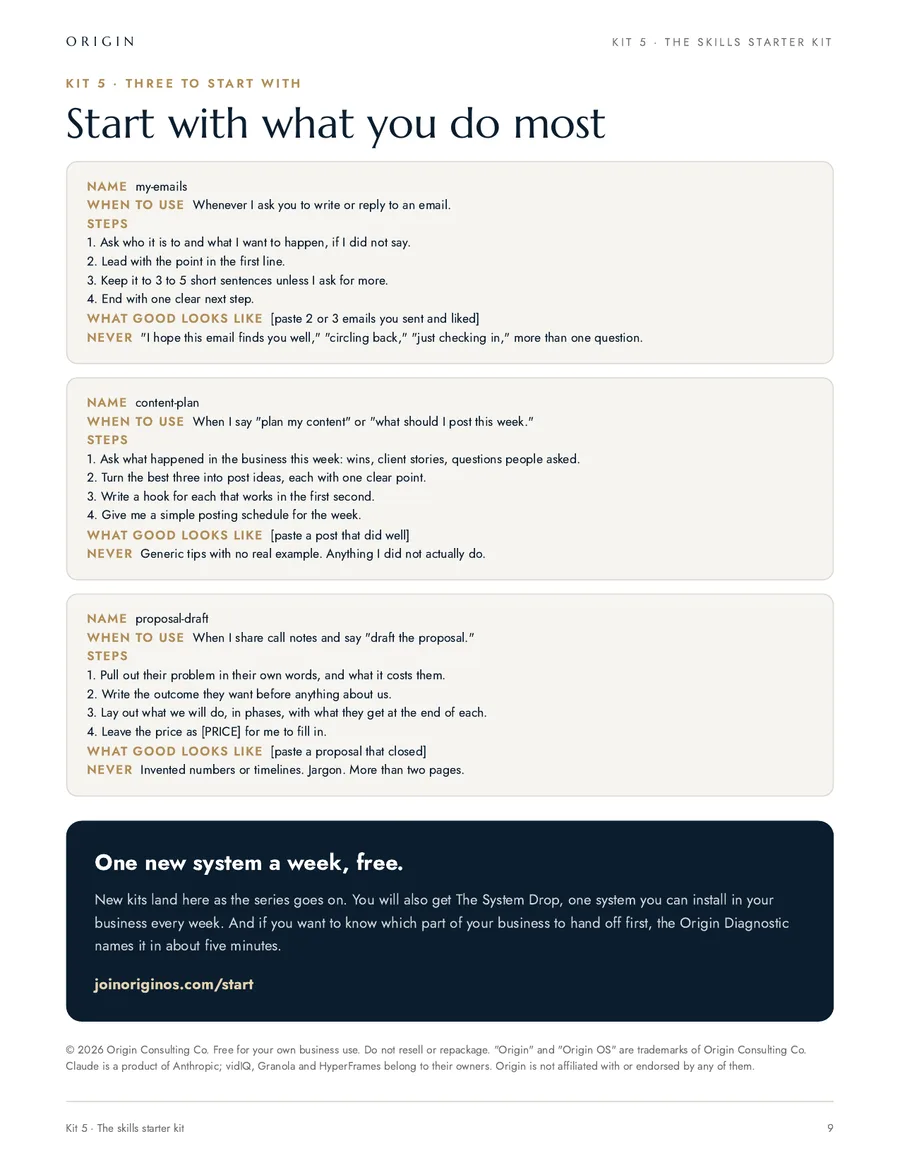
4. Three to start with
Name: my-emails
When to use: whenever I ask you to write or reply to an email.
Steps:
1. Ask who it is to and what I want to happen, if I did not say.
2. Lead with the point in the first line.
3. Keep it to 3 to 5 short sentences unless I ask for more.
4. End with one clear next step.
What good looks like: [paste 2 or 3 emails you sent and liked]
Never: "I hope this email finds you well," "circling back," "just checking in," more than one question.
Name: content-plan
When to use: when I say "plan my content" or "what should I post this week."
Steps:
1. Ask what happened in the business this week: wins, client stories, questions people asked.
2. Turn the best three into post ideas, each with one clear point.
3. Write a hook for each that works in the first second.
4. Give me a simple posting schedule for the week.
What good looks like: [paste a post that did well]
Never: generic tips with no real example, anything I did not actually do.
Name: proposal-draft
When to use: when I share call notes and say "draft the proposal."
Steps:
1. Pull out their problem in their own words, and what it costs them.
2. Write the outcome they want before anything about us.
3. Lay out what we will do, in phases, with what they get at the end of each.
4. Leave the price as [PRICE] for me to fill in.
What good looks like: [paste a proposal that closed]
Never: invented numbers or timelines, jargon, more than two pages.
5. Test it on a job you have already done
Run the skill on last week’s work, where you already know the answer, and compare. You are not checking whether it is impressive. You are checking whether it is you.
Run [skill name] on this: [paste the real input from a job you already did].

Then tell me which step you were on when you made each choice, and anything in the skill that was unclear or that you had to guess at.

I have the real version. I am going to compare them.
The second half of that prompt is the useful half. Every place it had to guess is a line the skill is missing.
6. Correct it into the skill, not the chat
Fixing it in the chat fixes today. Fixing it in the skill fixes every week after. When you correct something, say why, then put the why in the Never list.
The never list is the most valuable part of the skill, and it is the only part you cannot write on day one. It gets written one mistake at a time.
What goes wrong, and the fix
- It never triggers. The "when to use" does not match the words you actually type. Put your real phrases in, including the lazy ones.
- It does two jobs badly. One job per skill. "Write emails and plan content" is two skills.
- It ignores a step. The steps are vague. "Research them" is not a step. "Look up their company site and their last three posts, and tell me what changed recently" is.
- The output is close but not yours. There is no example in it. One real example beats a page of instructions.
- It works once and then drifts. You have been correcting it in chat. Move the corrections into the skill.
Before you rely on it
- Run it on three real jobs, not one.
- Check it never invents a number, a name or a date. If it did once, it will again: put it in the Never list.
- Read the skill back as if you were the new hire. If a step needs you to already know something, write that down.
Skills are how a business stops living in one person’s head. Every one you write is a job someone else could now do the way you do it, which is the same thing as being able to hire.
What happens once it is set up
Their words, not ours.
“I went from an independent contractor to a business owner, and that is what Zack has done for me.”
- $7.3M
- sold last year
- ~$11M
- this year, with pending closings
Numbers as Beau said them, October 2026.
Beau P.Real Estate Team Leader, Empire Real Estate Firm
-
He changed how I actually prompt and use AI day to day, and my results are noticeably better because of it.
Sam O. Founder
Sharper AI, tighter sales
-
Origin brought systems and clarity to a team that really needed it, and did it in a way that stuck.
Carrie A. Events Director, AFSP Long Island Chapter
Clear ownership, AI that stuck
-
He doesn't just talk the talk, he puts his mind to things and gets it done, and then he teaches other business owners how to do the same.
Harlan M. Real Estate Agent
AI from zero: emails to a full website
Free, and I do mean free
Want help setting it up? Book 30 minutes with me.
You bring this playbook and whatever is in your way. We set it up together on the call. No pitch, no card, and if it is not a fit for us to work together I will still leave you with it working.
- Bring your screen. We do it live, not in theory.
- Thirty minutes. If we finish early, you get the time back.
- If you want more after that, we can talk. If not, you keep the system.
The other playbooks
- Episode 2 The after-call system The skill that grades the call, logs every promise, writes the follow-up and updates the CRM.
- Episode 3 vidIQ + Claude The 30-second setup and the five prompts I use to pick every video before I shoot it.
- Episode 4 How Claude edits my videos The honest setup behind the series, and the edit rules that keep every video on brand.
- Episode 5 Train Claude to write like you Your voice, your company and your rules in one place, read before it writes anything.
- Episode 9 What a real build takes A buyer’s guide to custom software: what AI made easy, the eight parts it did not, and how to tell if you are ready.
- Episode 17 Build your website with Claude The honest process behind a 72-page site: the words first, one page at a time, and the phone test that makes it feel like you.
While you are here